-1.jpg?width=400&height=46&name=GHS_Primary_Logo_Landscape_Full_Colour%20(1)-1.jpg)
User Guide: Setting up Backup Codes
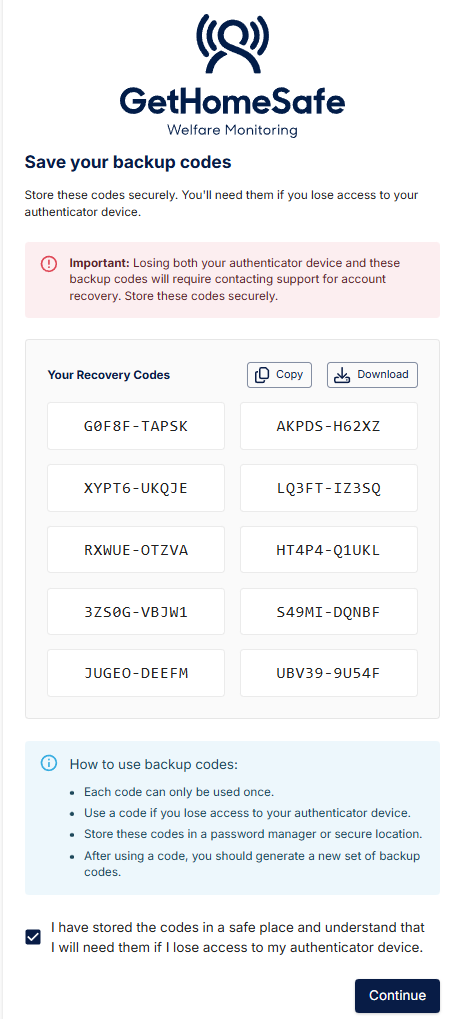
During a user’s initial 2FA setup or reset, the system will generate 10 unique 10-digit, one-time use codes linked to the user's account. These codes must be stored securely and can be used to bypass the standard authenticator requirement. The user is advised to generate a new batch of codes after account recovery to ensure this recovery option remains available.
User Guide: Recovering an Account using Backup Codes
If you cannot access your 2FA method, follow these steps to regain access.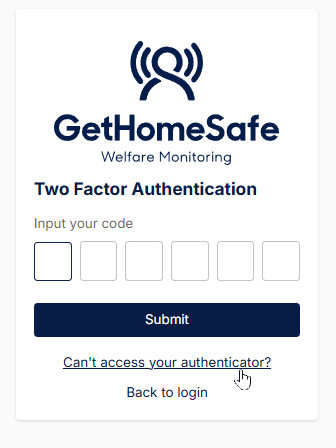
Step 1: Initiate Request
- Navigate to the login screen and enter your username and password.
- On the 2FA input screen, click the "Can't Access your Authenticator?" link located below the code field.
- Select the Recovery Code option.
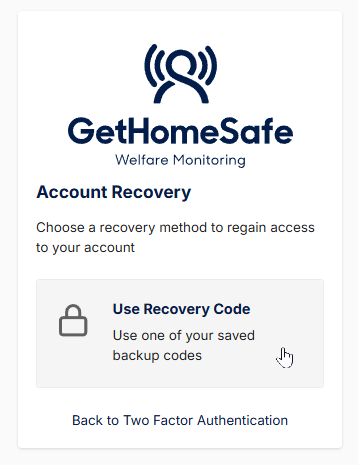
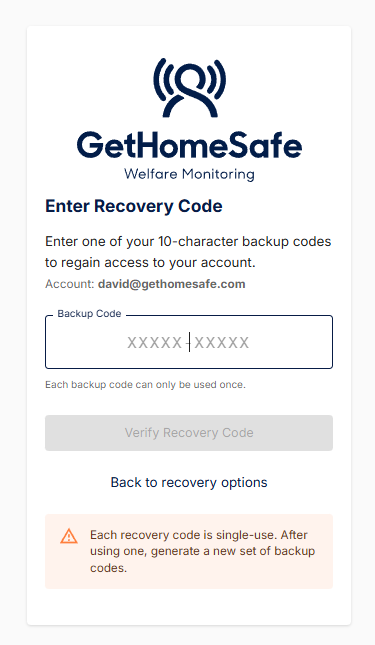
Step 2: Provide Backup Code
If the user has misplaced their backup codes they must resort to an alternative recovery option.
- Enter a valid backup code from the batch initially generated from their 2FA setup.
- Click Submit.
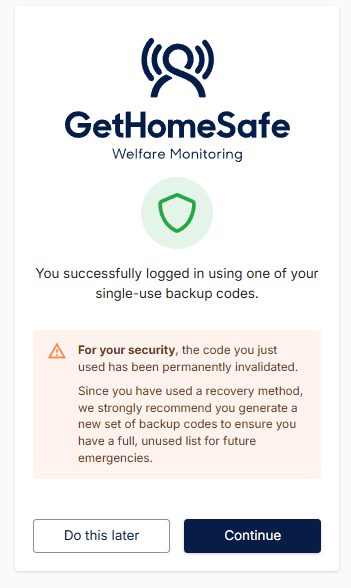
- The used code will expire and not work for future account recovery.
- If the code provided is valid the user will be successfully logged in.