-1.jpg?width=400&height=46&name=GHS_Primary_Logo_Landscape_Full_Colour%20(1)-1.jpg)
Accessing the Billing menu
1. Login to the web portal
2. Select your name in the top right hand corner
3. Select "Billing"
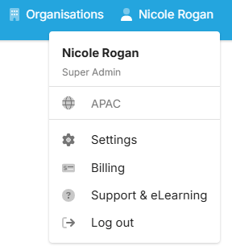
Note: Access to the billing page is limited to Billing Admin's and Account Owners.
Billing Overview
This page provides an overview of your GetHomeSafe subscription across your account, including your billing status, payment frequency, when your next payment is due, and how much your next payment will be.
- Subscription Overview
- Plan & Add-ons Overview – View current plans, user numbers, and add-ons. Select Manage Plan to add or remove add-ons from your subscription
- Hardware Licenses & Satellite Data Plan (if applicable)
- Help & Support - Send us a message if you have a question or need support
- Close your account and cancel your subscription
Billing Settings
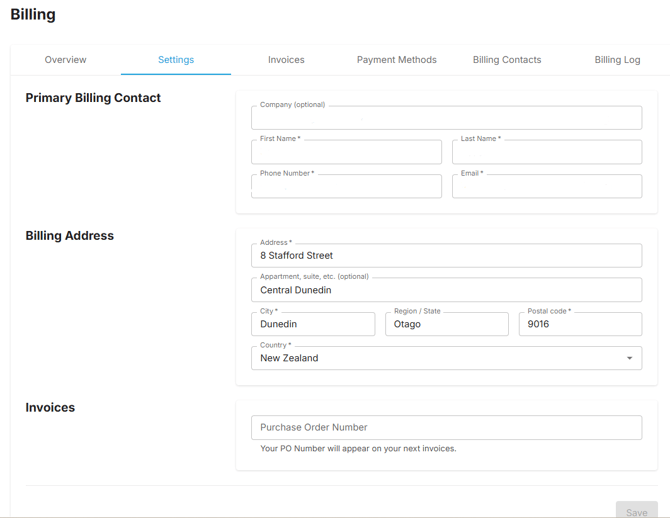
Update Billing details in this menu
- Billing Contact - Update Company name, contact name, phone number and email address
- Billing Address - Update billing address details
- Invoices - Add a Purchase Order Number which will apply to your next invoices
Billing Invoices
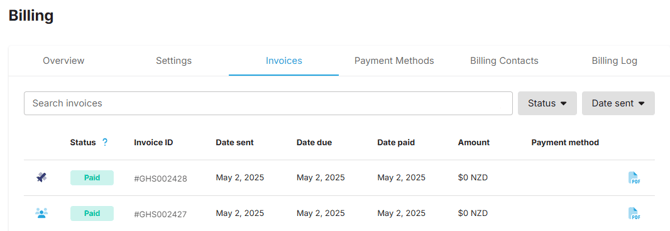
In this page, view and filter the status of previous invoices including:
- Invoice Type - Subscription or Satellite invoice
- Invoice ID - The invoice number
- Date Sent - The date the invoice was sent
- Date Due - The date the invoice was due
- Date Paid - The date payment was received
- Amount - Invoice amount
- Payment Method
- PDF - Download a copy of the invoice
Payment Methods
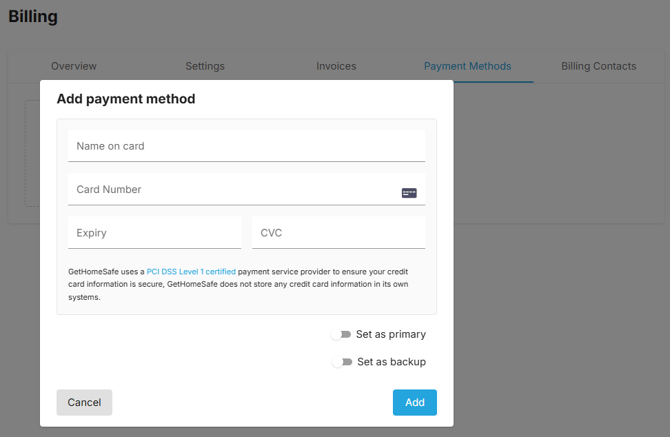
Manage your subscription payment method by adding a new card, editing existing card details, or removing a card from your account.
Billing Contacts
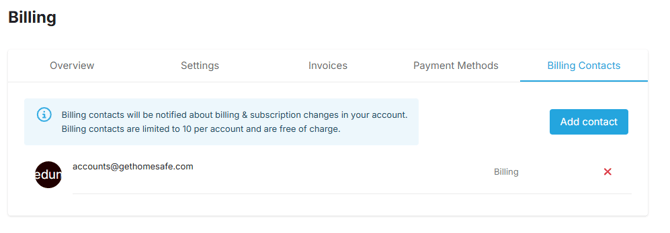
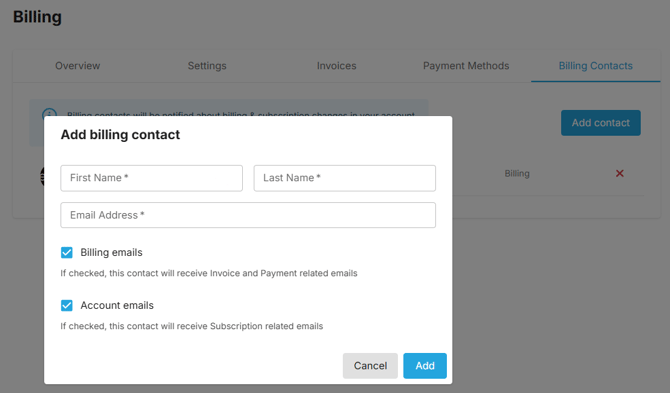
Assign/manage billing contacts for your account. Billing contacts are notified about billing and subscription changes in your account. They are limited to 10 per account, are free of charge, and do not have access to GetHomeSafe or count towards your subscription.
Prorated Charges
A prorated charge is a partial fee that bills you only for the exact amount of time or service you use during a billing cycle.
When do prorated charges happen? You will typically see a prorated charge if you make changes to your subscription midway through your current billing cycle. Common reasons include:
- Adding new user licenses
- Upgrading to a higher-tier plan
- Adding new features or add-ons
How it works: If you are on a monthly billing cycle that resets on the 1st of every month, and you add a new user on the 15th, you will only be billed for the remaining 15 days of that month for the new user.
Where to find it: Prorated charges will appear as a separate, clearly labeled line item on your next scheduled invoice. You can also track when licenses were added or removed by checking the Billing Log.
Billing Log
Use the Billing Log to view and filter a history of billing events for your account, such as plan changes, license additions or removals, and payment updates.
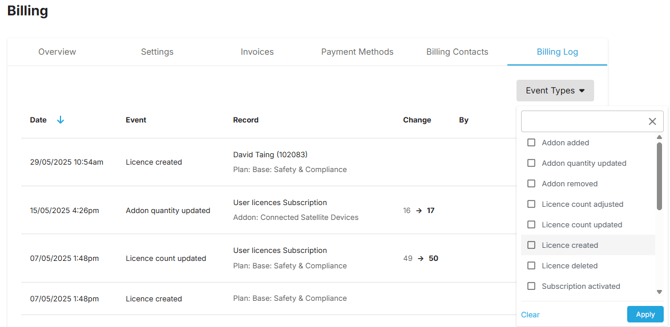
If there's ever a change to a user or device license, you can easily view the event details. Just click the three dots next to the event to see who made the change as well as the user/device details that were added/removed.
