-1.jpg?width=400&height=46&name=GHS_Primary_Logo_Landscape_Full_Colour%20(1)-1.jpg)
Part 1: Obtain your PRISM API Credentials
To connect GetHomeSafe, you need to obtain your unique API credentials from your PRISM account. You will need two pieces of information for this setup: your API Key and a designated Company ID.
- Contact your dedicated PRISM/Predictive Safety Account Manager or reach out to their support team to request an Integration API Key and your Company ID.
Part 2: Enabling the Integration in GetHomeSafe
After acquiring your PRISM API key and Company ID, you will need to enable the integration on the GetHomeSafe platform.
After the PRISM setup you will need to enable PRISM as an integration on the GetHomeSafe platform.
- Access your Enterprise as an Account Administrator.
- Copy your PRISM API Key and access your Enterprise’s Integration setup page.
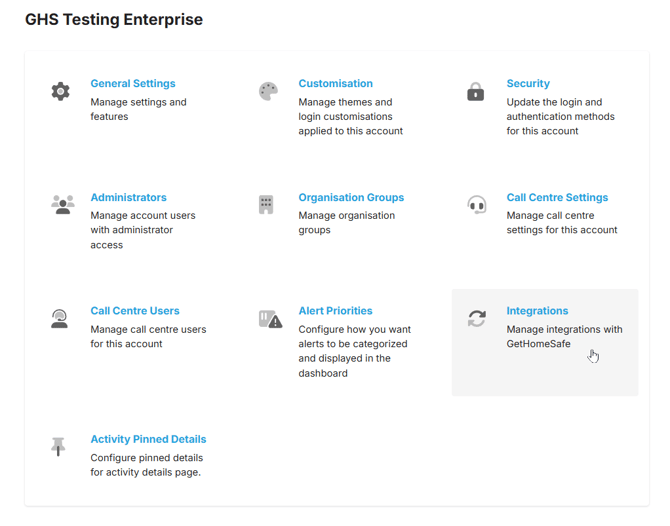
- Add PRISM as an integration.
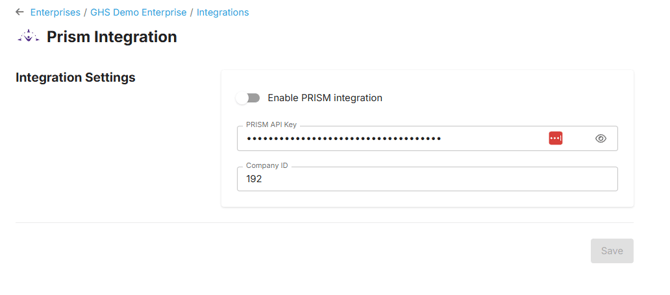
- To enable the PRISM integration you will need to paste your Integration API key into the API key field and provide your designated Company ID.