-1.jpg?width=400&height=46&name=GHS_Primary_Logo_Landscape_Full_Colour%20(1)-1.jpg)
A guide on how to link your existing EROAD account with GetHomeSafe. You will need EROAD admin rights to do this.
EROAD Setup
There are 2 API keys that can be generated from the EROAD Admin Portal. These will be needed to fully enable EROAD integrations with GetHomeSafe.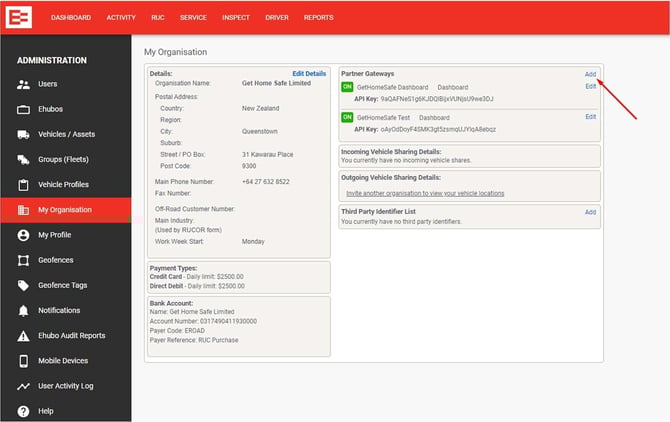
Partner Gateway Key
To generate a Partner Gateway API key, access the following menus:
In EROAD depot > Administration > My Organisation > ‘Add’ a new Partner Gateways.
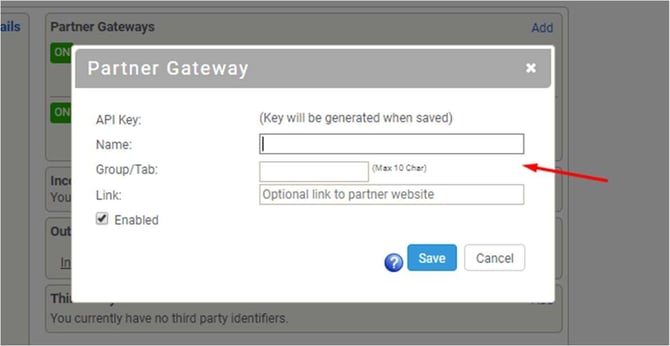
When adding a new Partner Gateway you will need to name it and save it.
Integration Key
To generate an Integration API key, access the following menus:
In EROAD depot > Administration > Integrations > ‘Add’ a new API key.
Note: If you cannot see the Integrations menu, contact EROAD support to enable it.
GetHomeSafe Integration Setup
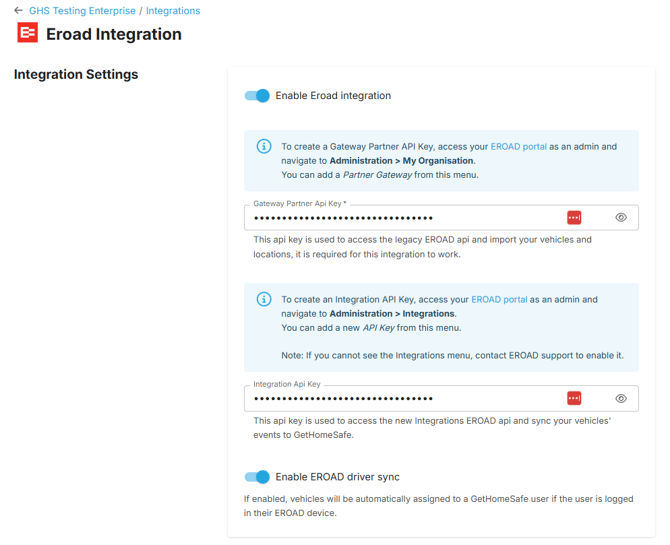
After the EROAD setup you will need to enable EROAD as an integration on the GetHomeSafe platform.
- Access your Enterprise as an Account Administrator.
- Copy your generated API Partner Gateway Key and access your Enterprise’s Integration setup page.
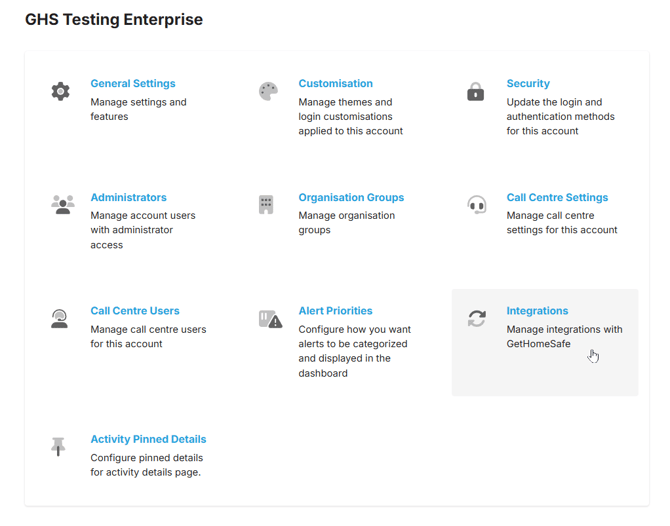
- Add EROAD as an integration.
- To Enable the EROAD integration you will need to paste your generated Partner
Gateway API key into the first API key field. This will enable the importing of vehicles and locations. - To enable syncing of vehicle data and events to GetHomeSafe you will need to paste your generated Integration API key into the second API key field
Configuring your EROAD Integration
On the EROAD integration setup page you may also configure your integration settings.
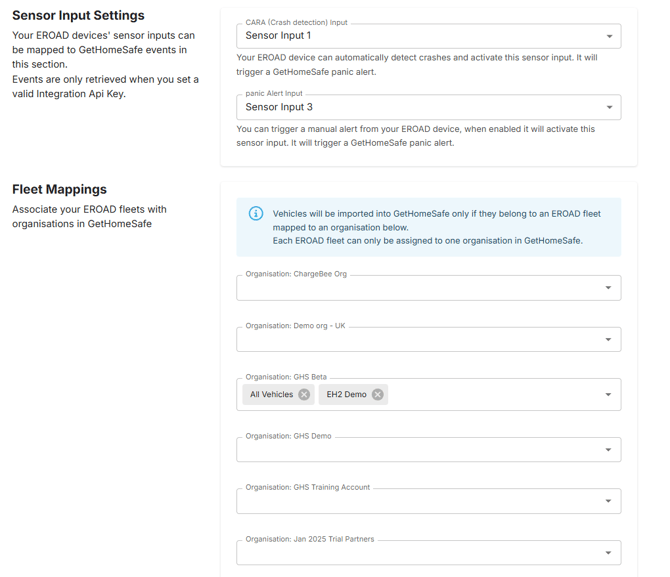
Sensor Input Settings
These settings allow you to map your EROAD device sensor inputs to GetHomeSafe events.
This functionality requires a setup Integration API key.
Fleet Mappings
The Fleet Mappings configuration allows you to associate your EROAD fleets with particular Organisations in your Enterprise.