-1.jpg?width=400&height=46&name=GHS_Primary_Logo_Landscape_Full_Colour%20(1)-1.jpg)
Team Leaders are a crucial aspect of GetHomeSafe, and act as the first point of contact when a user goes overdue or sets off an alert. Assigning a Team Leader is a simple process, and can be done through the following steps:
- Log into the GetHomeSafe webportal as an Admin user
- Click on Manage, and then click on Teams
- Click on the team that you would like to add a new team leader to
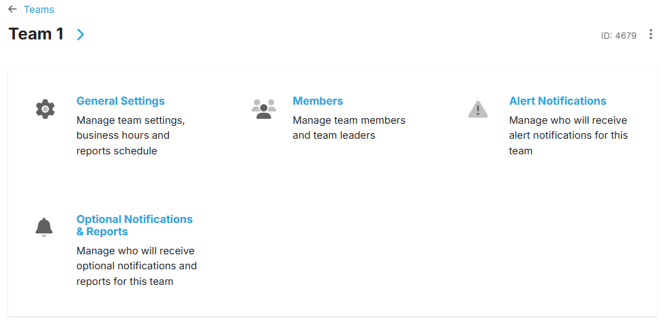
- This will take you to the following page: from here click on Members
- In the list of users, find the user you would like to promote to a Team Leader, and then click on the three dots next to their account on the right hand side of the screen.
- Click the option Add team leader status
You have now successfully added a new Team Leader!
If you would like to adjust the notification settings for team leaders, check out this other knowledge base article which runs you through how to do so: Configuring and Managing Teams