-1.jpg?width=400&height=46&name=GHS_Primary_Logo_Landscape_Full_Colour%20(1)-1.jpg)
Alerts activated by users will be sorted in the Dashboard's Requires Attention list based on their priority level, with higher-priority alerts given precedence over lower-priority ones, regardless of activation times.
You can opt to use the Enterprise settings or configure them specifically for the organisation.
How to Assign Priorities?
To assign alert priorities, log into the GetHomeSafe dashboard as an Enteprise level administrator. Then follow these steps:
- On the left hand panel, click Configure
- Then click Account
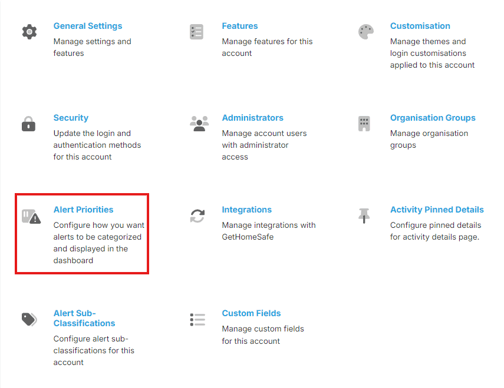
- From here, select Alert Priorities
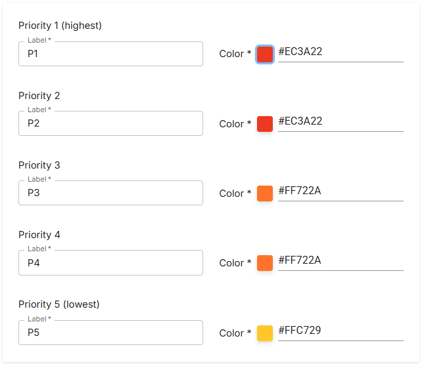
- From here, you can assign the label and colour for different levels of priorities, ranging from 1 to 5.
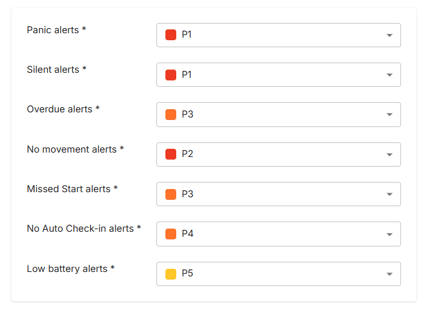
- Once you have customized the priority levels, scroll down and assign the different alert types to a priority.
Note - for more information on the different types of alert in GetHomeSafe, check out this knowledge base article GetHomeSafe Alerts